






Key benefits
The essentials to get it all done. Office Home and Business 2024 is for families and small businesses who want classic Office apps and email. It includes Word, Excel, PowerPoint, and Outlook for Windows 11 and Windows 10. A one-time purchase installed on one PC or Mac for use at home or work.

A one-time purchase

Install on one PC or Mac

Classic Office apps
Classic apps for home and business

Word

Excel

Powerpoint

Outlook
Upgrade your Home Office
Office 2024 includes enhanced features and functionality in familiar productivity apps to help you easily create content and stay on track.


Create with confidence
Produce engaging documents and presentations with new, modern visuals and quickly find what you need with improved navigation features and search functions.
Organize your work and life
Efficiently manage your messages, appointments, contacts, and tasks in one place. Easily stay on top of meetings, deadlines, and family time, too.

The new look of Office Home & Business
Office has an updated look that provides a more simple and coherent experience, letting you easily focus on your work across all Office apps.

1. Present with cameo
With cameo, you can insert your live camera feed directly on a PowerPoint slide. You can then apply the same effects to your camera feed as you can to a picture or other object, including formatting, transitions, and styles.
2. Insert a picture from a mobile device
It used to take several steps to transfer images from your phone to computer, but now you can use your Android device to insert pictures directly into your slide show in PowerPoint LTSC 2024.

3. Create a video in Recording Studio
Record your PowerPoint. presentation—or just a single slide—and capture voice, ink gestures, and your video presence. Export your recorded presentation as a video file and play it for your audience.
1. Send a scheduled email
Now in Outlook 2024, you can schedule when you want your emails to be delivered. Just select a day and time and forget about it, no need to be online for the email to be delivered.

2. Undo send
Outlook 2024 lets you “unsend” your mail. When you have email delay enabled, you can use the Undo Send command to cancel a message before it’s sent during that time, providing more control and confidence over your communications.

3. Focus your inbox
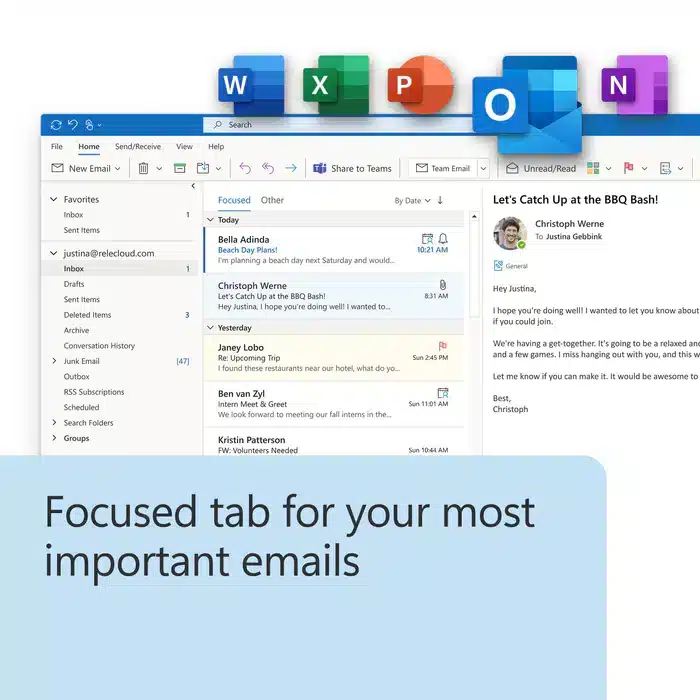
Outlook 202 includes Focused Inbox, which separates your inbox into two tabs—Focused and Other. You’ll find your most important email messages on the Focused tab while the rest remain easily accessible—but out of the way—on the Other tab.

1. Recover your Word session
When Word 2024 or Word 2024 closes unexpectedly before you save your most recent changes, Word automatically opens all the documents you had open when the process closed, allowing you to continue where you left off.

2. Support for OpenDocument Format (ODF) 1.4
We now include support for the OpenDocument format (ODF) 1.4. The ODF 1.4 specification adds support for many new features.

3. Easier collaboration
Now by default, collaboration in Word is easier than ever before. Consumers can use collaboration features such as modern comments to leave thoughts or questions in the document for others, seamlessly switch between Viewing, Reviewing, and Editing modes, and delete all resolved comments in a ??document with just one click.

1. Dynamic charts with dynamic arrays
Now in in Excel 2024 and Excel 2024, you can now reference Dynamic Arrays in charts to help visualize datasets of variable length. Charts automatically update to capture all data when the array recalculates, rather than being fixed to a specific number of data points.

2. New IMAGE function
Now in Excel 2024 and Excel 2024, you can add pictures to your workbooks using copy and paste or you can use the IMAGE function to pull pictures from the web. You can also easily move, resize, sort, and filter within an Excel table without the image moving around.

3. Faster workbooks
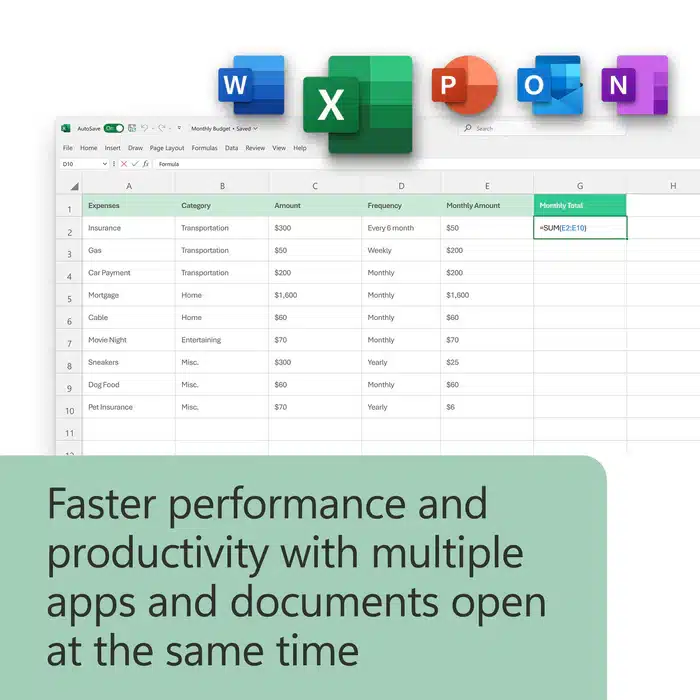
The speed and stability of Excel 2024 and Excel 2024 workbooks has been improved, reducing the delays and hang-ups that arise when multiple workbooks with independent calculations are open at the same time.


101 reviews for Office 2024 Home & business – Lifetime – Windows/Mac – Email Bind License
There are no reviews yet.